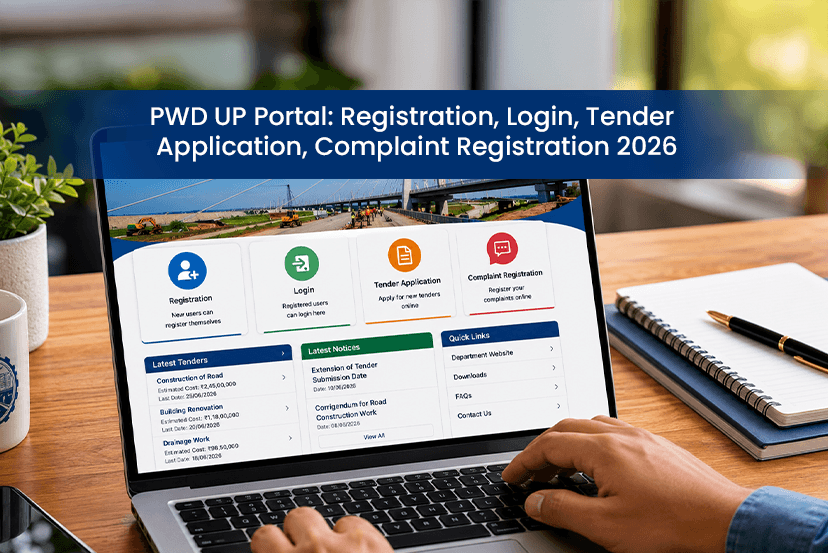
The Public Works Department of Uttar Pradesh is an essential digital platform that is used for multiple purposes. The PWD UP portal is designed to simplify public service, contractor registrations, tender management and grievance redressal. So basically, if you are a contractor or businesses who wants to work on government projects, then understanding the complete portal is really important for you. As the portal releases the latest updates, notify users about every single Uttar Pradesh Tenders opportunity. Even a simple registration and login process can sort things for you. If you are thinking you need to go through a long procedure, then let us tell you it is way more effortless. In this guide, we have covered everything you need to know about PWD UP registration and PWD UP login, tender applications and many more things. So if you want to master the PWD UP portal, then lets get into it!
What is PWD UP?
PWD UP full form is Uttar Pradesh Public Works Department, which is the oldest and most significant government department in the state. This portal is designed to ease most of the manual official tasks digitally. As the department is responsible for several projects across UP-
- Planning
- Constructing
- Maintaining
- Managing roads
- Bridges
- Government buildings
- Other public infrastructure projects.
How to Register on PWD UP: Step By Step
The PWD UP Registration process is mainly designed for contractors, vendors, and service providers who wish to participate in government projects and tenders.
STEP 1: Go to the official PWD UP portal. Select the registration option available on the homepage.
STEP 2: Select the appropriate category, like contractor, supplier or vendor.
STEP 3: Enter your personal and business details.
STEP 4: Upload required documents.
STEP 5: Verify your mobile number and email address.
STEP 6: Submit the application for approval.
Once you have successfully verified, you will receive login credentials that can be used to access portal services and apply for tenders.
How to Log in to the PWD UP Portal
The following are the steps you should follow to log in to the PWD UP portal-
STEP 1
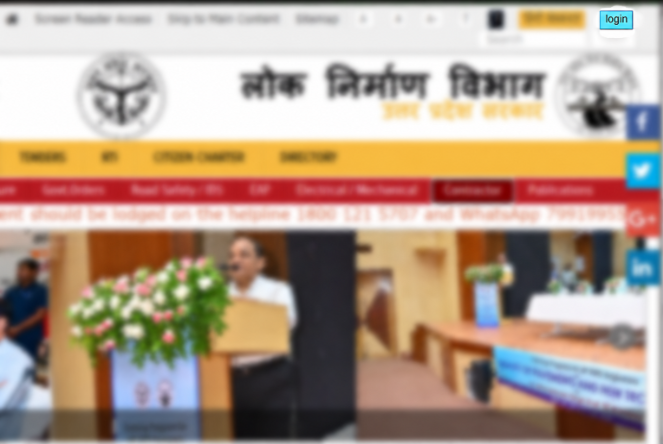
Go to the official UP PWD portal and on the homepage, there is a section “Login.” Click on that.
STEP 2
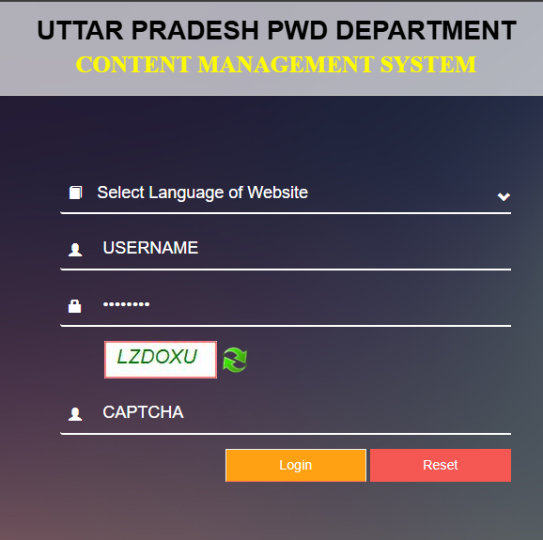
Next, you will be directed to another page where you will require-
- Select the language of the website
- Username
- Password
- Read the captcha and click on the Login.
Once you have successfully logged in, users can view tenders, submit applications, update profile information, track complaints and access departmental notifications.
PWD Tender UP: How to Apply for Tenders?
So many users are stuck in confusion about how to apply for UP PWD tenders. The portal actively releases opportunities for contractors and businesses. So you can participate in various types of government projects.
Steps to Apply for PWD Tenders
- Complete the registration process
- Access to the tender section
- Search available tenders like-
- Project category
- District
- Estimated project value
- Submission deadline
- Download the tender document and carefully read the complete details.
- Next, prepare the technical and financial bid as per the guidelines and upload the necessary documents before the deadline.
Note: Once you have submitted the bid, frequently track the application status through the portal.
Pwd Online Complaint UP: How Citizens Can Register Complaints
The portal also provides a dedicated grievance redressal system known as Pwd Online Complaint UP. Citizens can use this service to report issues related to roads, bridges, government buildings, and other public infrastructure.
The online complaint system helps authorities identify and resolve problems more efficiently.
Types of Complaints Accepted
Citizens can generally report issues such as:
- Damaged roads
- Potholes
- Broken bridges
- Poor road maintenance
- Waterlogging on roads
- Government building maintenance issues
- Construction quality concerns
How to Submit a Pwd UP Complaint
The Pwd up complaint process is designed to be user-friendly and accessible.
Follow these steps:
- Visit the official PWD portal.
- Open the grievance or complaint section.
- Select the complaint registration option.
- Enter personal details.
- Describe the issue clearly.
- Upload photographs if available.
- Mention the exact location of the problem.
- Submit the complaint.
After successful submission, a complaint reference number is generated for future tracking.
How to Track Complaint Status
Users can monitor the progress of their submitted complaints using the tracking facility available on the portal.
Typically, the process involves:
- Visiting the complaint tracking section.
- Enter the complaint reference number.
- Viewing the latest status updates.
This feature helps maintain transparency and keeps citizens informed about the resolution process.
Services Available on the PWD UP Portal
Apart from registration and complaints, the portal offers several other useful services.
Tender Notifications
Users can access the latest tender announcements and procurement opportunities.
Project Information
Information regarding ongoing and completed infrastructure projects can be viewed online.
Contractor Services
Registered contractors can update profiles, manage documents, and participate in bidding processes.
Departmental Announcements
The portal regularly publishes notifications, circulars, and policy updates.
Grievance Redressal
Citizens can submit complaints and monitor resolution progress through the online system.
PWD UP Minister and Department Leadership
The PWD UP Minister oversees the functioning of the Public Works Department and really important role in policy-making, infrastructure planning, and project implementation. The department works under the Government of Uttar Pradesh and is responsible for executing several development initiatives across the state.
The minister, along with senior departmental officials, supervises infrastructure projects, road development programs, bridge construction, maintenance activities, and public welfare initiatives related to transportation infrastructure.
Important Documents Required for Contractors
Contractors applying for registration or tenders may need documents including-
- PAN Card
- Aadhaar Card
- GST Registration Certificate
- Business Registration Documents
- Experience Certificates
- Financial Statements
- Bank Account Details
- Digital Signature Certificate (if required)
IMPORTANT: Applicants should always verify the latest document requirements on the official portal before submission. This will help you eliminate the hassle of delays.
What are the Common Issues Faced During Registration and Login?
Some users may face technical issues while using the portal. These problems may include-
- Incorrect login credentials
- Mobile verification issues
- Document upload errors
- Browser compatibility problems
- Forgotten passwords
NOTE: Most login related problems can be resolved using the password recovery option available on the portal.
Final Words
If you have been trying for PWD UP login, registration or significant information, then you can simply get all the details in the official portal. However, it is sometimes takes time to find the exact details you are looking for, and that is where our guide bring you complete details about the Public works departments and its portal. So we hope you find this informative guide helpful and helps you to master PWD UP portal. Stay connected with us for more such knowledgeable details on all the tender related sites and official portal!