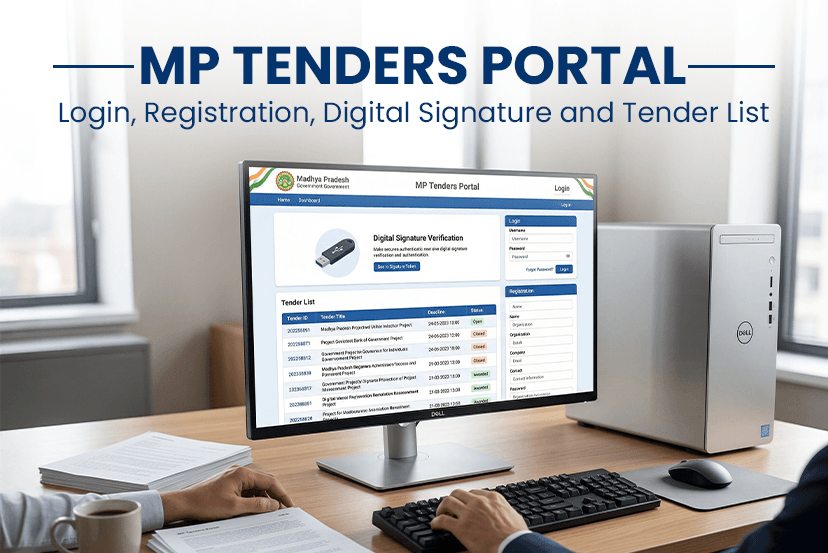
The Madhya Pradesh government has made procurement easy and transparent for everyone. It is the official eprocurement platform of MP tenders. Whether you are a contractor, a supplier, or a business owner, you must understand how this portal works before participating in government projects efficiently. In this blog, we have covered everything that you must know about MP tenders registration, login process, digital signature setup and how to access the MP tender list. Read the complete blog to master MP tenders.
What is the MP Tenders Portal?
The MP tenders portal is the official online platform of the government department in Madhya Pradesh. In this platform, government authorities publish and manage tenders. It is part of the broader MP online initiative that particularly aims to improve digital public services.
Via this platform, users can-
>> View active and upcoming tenders.
>> Submit bids online
>> Download tenders documents
>> Track bids status.
In this platform, departments like PWD, irrigation, urban development and other regularly publish opportunities.
How to Log in to MPtenders Online – Step-by-Step Process
The following are the steps to follow to log in to MPtenders-
STEP 1: Visit the official website- MP Tender
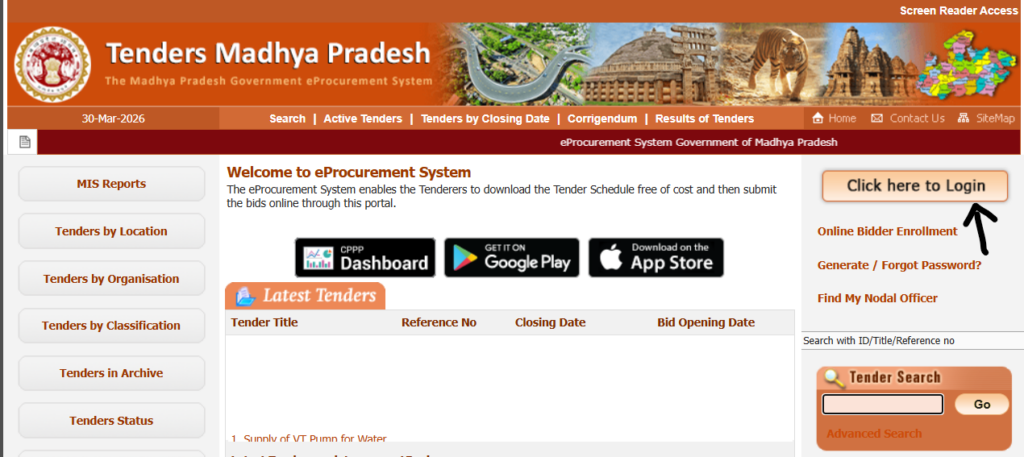
STEP 2: Go to the homepage, click on the “Login” option.
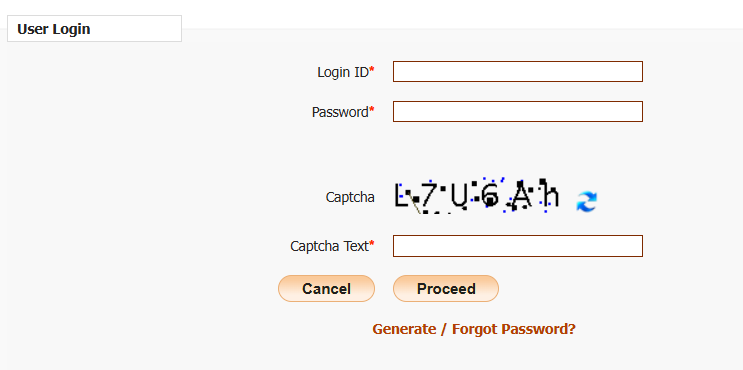
STEP 3: Enter your registration username, password and captcha code.
STEP 4: Once logged in, you can access your dashboard, view tenders and submit bids.
If you are a new user, you must complete registration before logging in.
How to Register on MP Tenders Portal – Simple Steps to Follow
Here are the steps you should follow to register on the MP tenders portal-
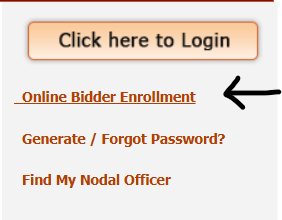
STEP 1: Visit the official portal and click on the “Online Bidder Enrollment.”
STEP 2: Fill your business details, including company name, PAN number, GST details, and contact information.
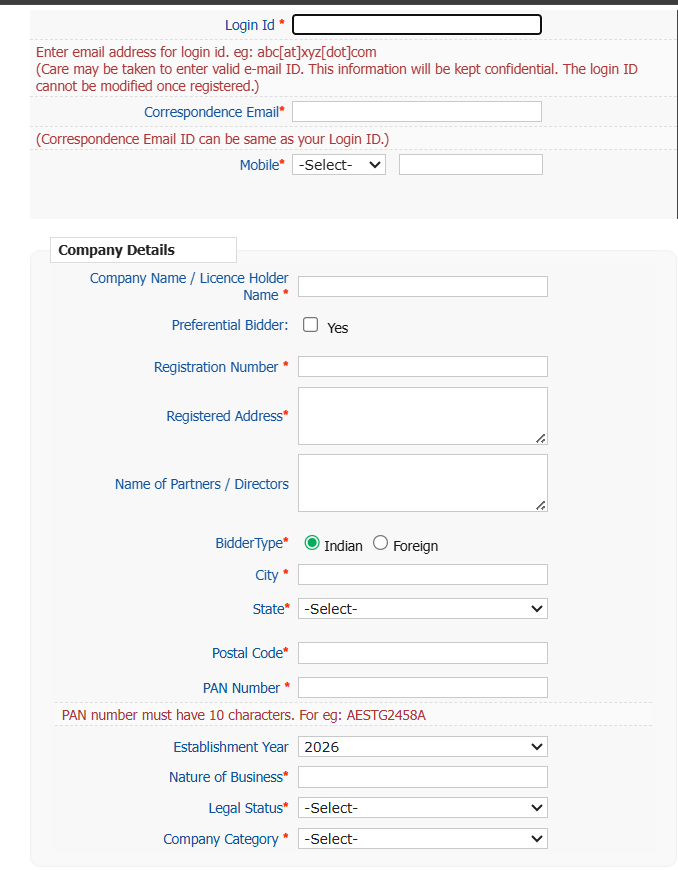
STEP 3: Create your login credentials
STEP 4: After the submission, verify your email and mobile number.
STEP 5: Once everything is approved, your account is active, and you can proceed with the MPtenders login.
Note: Registration is mandatory for anyone who wants to apply for MP tenders.
How to Register a Digital Signature on Mptender
Many users struggle to register a digital signature on the MPtenders portal. However, with the right steps, you can ease the entire process-
STEP 1- Purchase a Class 3 Digital Signature Certificate from the certified provider
STEP 2- Install the DSC driver on your system
STEP 3- Log in to the MPtender portal and go to the “Digital Signature Registration”
STEP 4- Connect your DSC token to your computer and select the certificate
STEP 5- The system will verify and register it with your account.
STEP 6- Your DSC will be registered to your account successfully.
You can use the digital signature certificate to submit tender documents online and sign.
Note: DSC ensures secure and legally valid transactions on the portal. Without the DSC, you cannot submit bids.
MP Tender List: How to Find Relevant Opportunities
The Madhya Pradesh tender is the most useful section for many bidders. It contains all the active, closed and upcoming tenders from the various departments.
After login, you can simply reach out to the “Tenders” section, where you can filter results based on-
- Department
- Location
- Tender Value
- Deadline.
For example: if you want to find e tender Gwalior, you can simply filter tenders by the location and select Gwalior to view relevant opportunities in that region.
There are several different types of tender lists released on the official website, from construction, building projects, supply contracts, electrical and many other departments. By simply logging in to your account, you can actively participate in MP tenders.
MP Tender Contact Number and Support – Essential Details
The portal provides official helpdesk support where you can get assistance related to:
>> Login issues
>> DSC errors
>> Bid submission problems
>> Payment or registration queries
You can find the contact details in the “Contact Us” section of the portal. It is always recommended to use official support instead of third-party agents to avoid errors or fraud.
Top Benefits of Using the MP Tenders Portal
Using the MP Tenders Portal offers several advantages for businesses and contractors.
- This platform offers complete transparency in the bidding process that ensures equal opportunity for all participants.
- With the digital platform, you have no hassle with paperwork.
- MP online services are much faster and smoother.
- You can get the updated information and notifications over time that help users to stay up to date about new tenders and dates.
- MP tenders offer you dedicated support with any of your queries through their customer support.
What are the Common Mistakes to Avoid in the MP Tenders Portal
The common mistakes that are frequently made by users when applying for the MP tenders-
- Improper Digital signature setups can lead to submission failure.
- Missing deadlines because of a lack of tracking.
- Some users also fail to read the eligibility criteria carefully, which can lead to rejection.
- Rushing to submit documents that lead to improper documents.
- Not submitting the proper document quality and submitting the application at the last minute.
Sum Up
By understanding registration, learning how to register a digital signature on mptender, and regularly checking updates like what is new mpwrd, you can significantly improve your chances of winning tenders. You can find active tenders in Madhya Pradesh on other platforms like Tendershark, where you can find the latest tenders list and search unlimitedly. This will save you the time and effort of visiting multiple platforms. Instead, you can explore in one place without any charges.