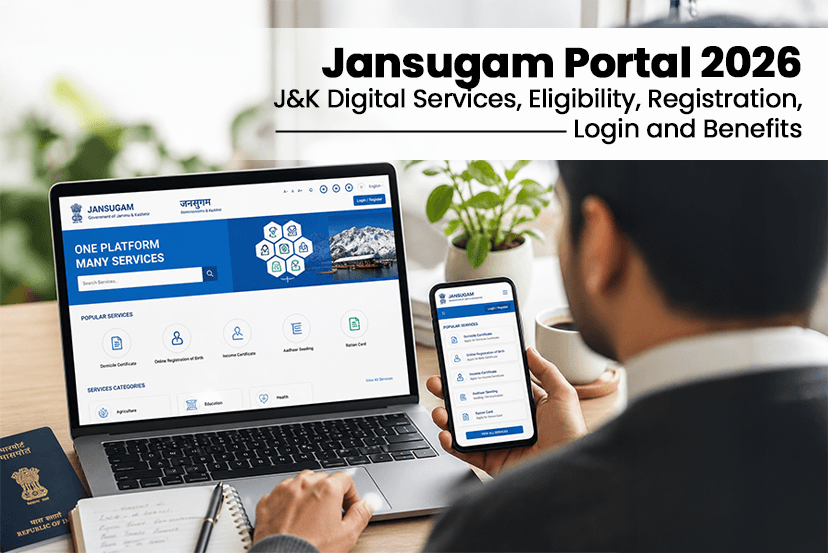
Digital platforms become convenient and more accessible for every user, and that is where the Jansugam Portal has come up in the role. This portal is launched by the government of Jammu and Kashmir in collaboration with the National Informatics Centre. This platform is specifically designed to eliminate the need for long queues and repeated visits to government offices. Whether you want to apply for certificates, access welfare schemes, or track applications. Even if you want the updated eligibility criteria, registration, and login process, everything is covered in this blog.
What is the Jansugam Portal?
Jansugam, also known as Service Plus JK. It is a centralized online platform that offers more than 50 government services across multiple departments. This portal was introduced in 2024, the main purpose of the portal is to simplify governance by offering a transparent and time saving digital system.
One of the major updates came in May 2025, when the domicile certificate service was fully integrated into the jansugam that makes it the primary portal for such essential services.
This portal allows users to apply for-
>> Certificates
>> Licenses
>> Schemes
>> Track their application status.
>> Receive updates through SMS or email.
This makes it much more convenient for users to get the latest updates, ensuring faster service delivery and reduced paperwork.
What are the key features of the Jansugam Portal?
The following are the Jansugam Portal features-
- Single login system.
- Real time application tracking.
- Seamless integration with DigiLocker for easy document access.
- Users can apply for multiple services, pay fees online, and download digitally signed certificates that are legally valid.
- It offers a transparent process, as every application goes through defined stages and users can track progress without visiting offices.
- The Jansugam portal also supports multiple payment methods like UPI, Net Banking and Cards for easy transactions.
What are the Services Available on the Jansugam Portal?
The following are the services that you can find on the Jansugam Portal-
| Service | How Long? | Cost | Who handles it? |
| Domicile Certificate | 7 Days | Free | Revenue Dept |
| Income Certificate | 15 Days | Free | Revenue Dept |
| Birth Certificate | 30 Days | Rs. 40 | Health Dept |
| Death Certificate | 30 Days | Free | Health Dept |
| Unemployment Certificate | 15 Days | Free | Employment Dept |
| Trade License (NEW) | 30 Days | Varies | DHP&M |
| No Demand Certificate | 15 Days | Free | Revenue Dept |
| Marriage Certificate | 30 Days | Free | Social Welfare |
| Old Age Pension | 60 Days | Free | Social Welfare |
| Ladli Beti Scheme | 45 Days | Free | Social Welfare |
Jansugam Portal Latest Updates in 2026
There are significant improvements to the Jansugam Portal, which include-
- Trade license services were introduced that allow businesses to apply for and renew their licenses online.
- The No Demand Certificate was also added recently, which is useful for various official and financial purposes.
- The payment system has been upgraded to reduce failures and speed up processing.
- More mobile friendly design and faster DigiLocker integration to enhance user experience.
Over 3.70 Lakh users have been registered on the Jansugam Portal, that showcase the rapid growth.
How to Register on Jansugam Portal – Step By Step Process
Follow the steps to register on the Jansugam portal to simplify the process-
STEP 1
Visit the official website of the Jansugam- JK Jansugam
STEP 2
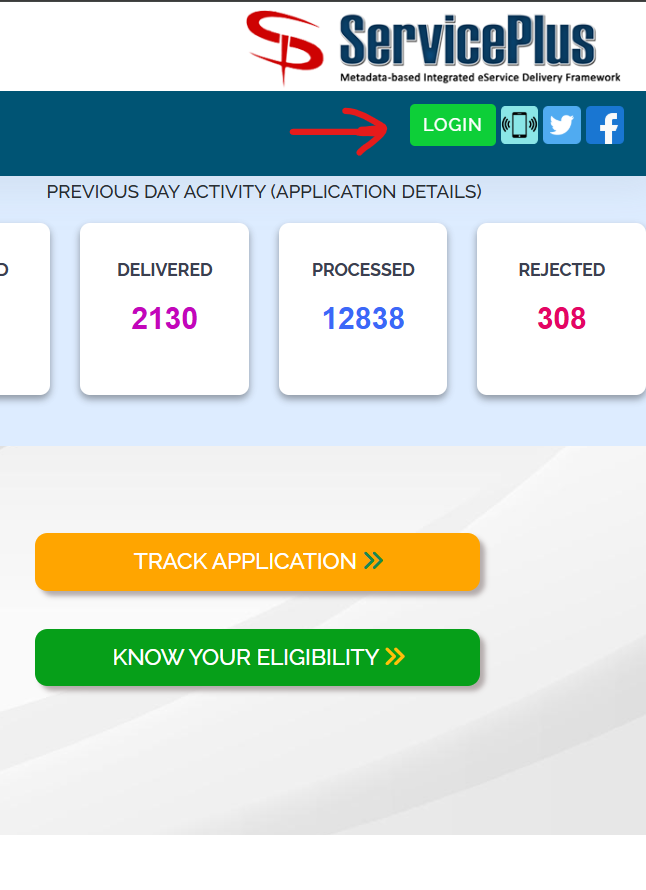
Click on the Login button on the right-hand corner of the page.
STEP 3
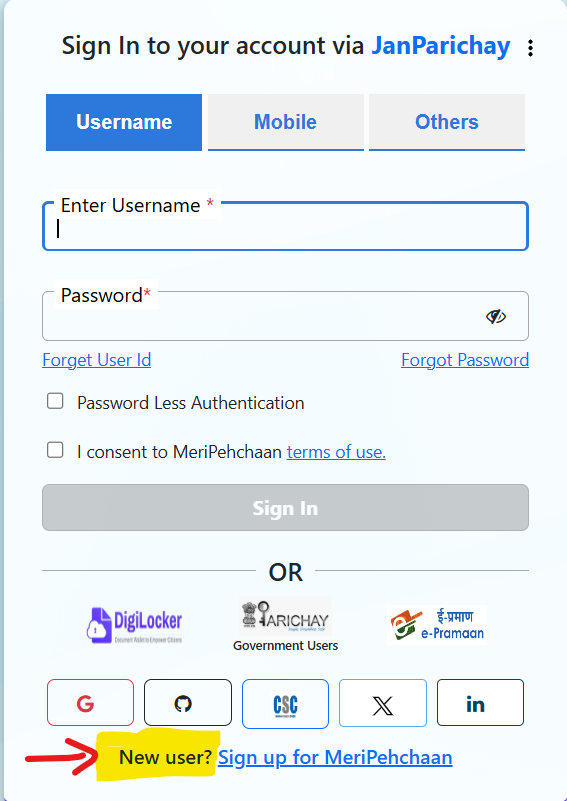
Go to the Sign Up For MeriPehchaan for new users registration.
STEP 4
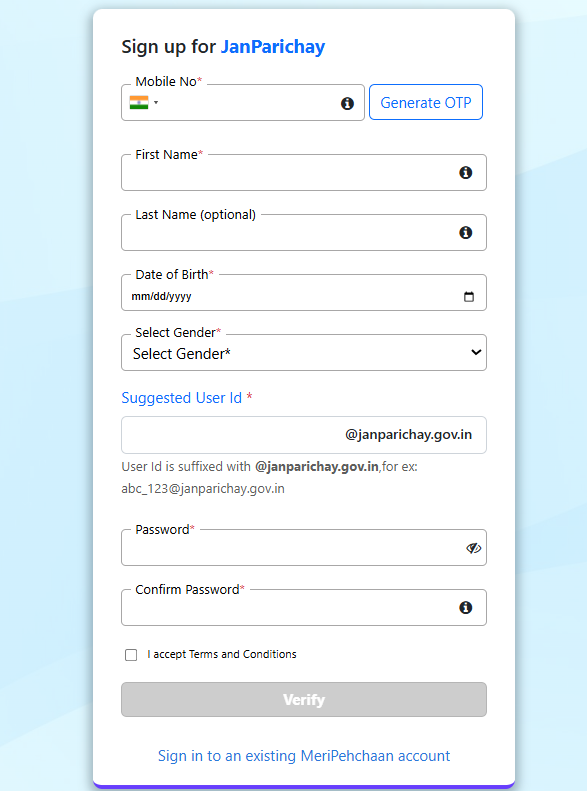
Now, fill in the following details including Mobile number, User name, Date of Birth, Gender and verify. This will take around a minute, after which you will be able to access the Jansugam Portal.
STEP 5
You need to upload the mandatory documents like passport size photo and an Aadhaar card.
Once you have successfully registered on the Jansugam portal, you can access the dashboard and start applying for services. It is highly recommended to link to the DigiLocker, as this will allow automatic document retrieval and save time in future applications.
Why DigiLocker is Recommended?
DigiLocker is one of the effective systems that you can link to your account. Once you link it, you will not need to upload documents over time. As Jansugam fetches them directly from DigiLocker.
How to Link DigiLocker?
- Go to your dashboard and Document Vault.
- Click on the Link DigiLocker.
- Login with your Aadhaar
- Give permission to access documents.
With this simple step, you can save time about 80% on future applications.
How to Log in to the Jansugam Portal- Steps to Follow
To log in to the Jansugam portal, there are simple steps to follow-
STEP 1: Access to this link – JK Jansugam
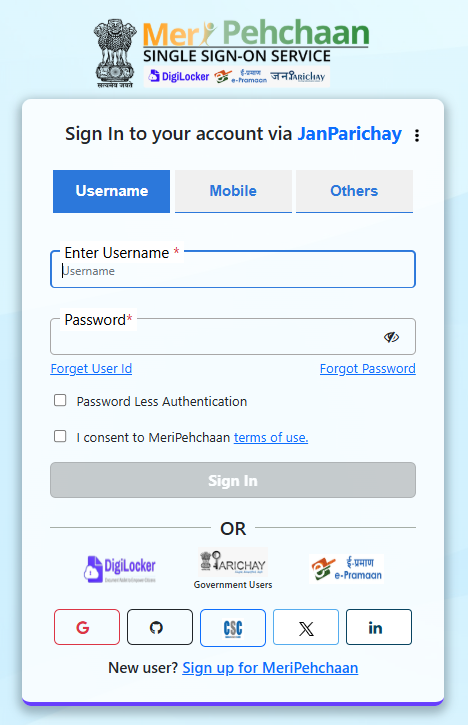
STEP 2: There are two ways to log in to your Meri Pehchan Jansugam Portal.
- First is using your Meri Pehchan username and password.
- Second is using your Mobile number and password. This method offers quicker access than the username and auto fill your details.
STEP 3: After entering credentials and solving CAPTCHA, you can easily access your account and manage the application.
How to Track Application Status?
If you want to track an application on Jansugam, then it includes some basic steps.
- Log in to your account and go to the dashboard.
- Check the My Applications section for actual updates or you can directly visit the link – https://jansugam.jk.gov.in/ by using the reference number without login and click on the Track Application>>
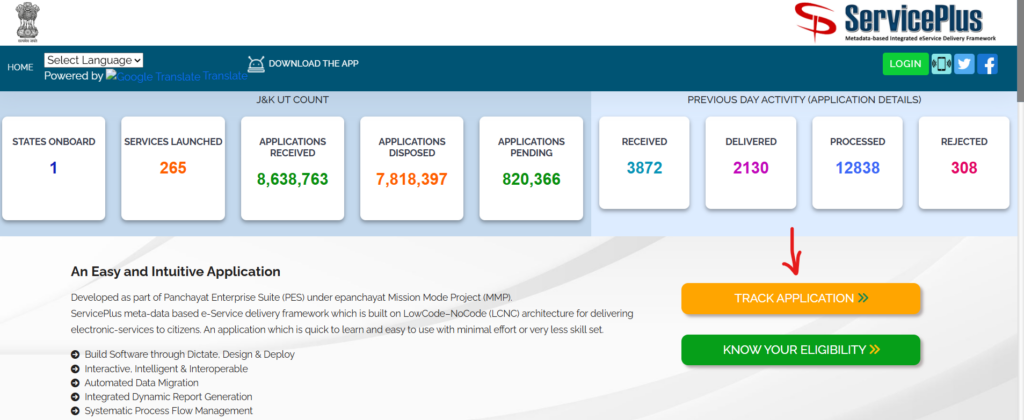
STEP 3: Each status clearly shows progress, like submitted, under verification, approved, or rejected.
Methods to Check Your Status on the Jansugam Portal
- Log in to your account
- Click My Applications
- You will see everything with the live status. These statuses include-
>> Submitted: They received your application
>> Under verification: Checking your documents
>> Approved: Ready to download
>> Rejected: Something is wrong (check reason and reapply)
What are the Documents Required to Apply for the Jansugam Portal?
The documents needed for accessing the Jansugam portal may vary based on the services you opt for, but the following are some crucial ones that you need-
- Aadhaar Card
- Passport size photograph
- Mobile number
- Email ID
Depending on the services, you may need additional documents, like-
- Income certificates, which require salary slips or income proof.
- Domicile certificates need proof of residence in J&K.
- Birth certificate application for hospital records and parents’ identification documents.
Note: Keeping these documents ready in the correct format allows a smooth application process.
What are the Processing Time and Fees in Jansugam?
The processing time for the services varies based on the type of application. That may include-
| Certificate | Time | Cost | Validation |
| Domicile | 7 Days | Free | Lifetime |
| Income | 15 Days | Free | 1 Year |
| Birth | 30 Days | Rs. 40 | Lifetime |
| Death | 30 Days | Free | Lifetime |
| Unemployment | 15 Days | Free | 1 Year |
License Services
| Certificate | Time | Cost | Validation |
| Trade License (New) | 30 Days | Rs. 500-5000 | 5 Years |
| Trade License (Renewal) | 15 Days | Rs. 300-3000 | 5 Years |
| No Demand Certificate | 15 Days | Free | 6 Months |
While most of the services are completely free of cost, some, like birth certificates or trade licenses, involve nominal fees. The payment via-
- UPI
- Debit/Credit Cards
- Net Banking
- CSC e-Wallet
Common Problems and Solutions
The portal is completely easy to use and includes a simple process, but many users still face some technical errors and issues-
Problem 1: LOGIN NOT WORKING (ERROR 3900290)
You may try to log in, but you get an error code 3900290.
So, try these steps-
- Clear your browser cache (Ctrl+Shift+Delete)
- Open incognito or private mode and try again.
- Switch to Chrome and Firefox
- Wait 2-3 hours
- If nothing works, visit your nearest CSC center.
PROBLEM 2: PAYMENT GOT DEDUCTED BUT APPLICATION NOT SUBMITTED
In this, your money is cut from your account, but no application confirmation.
Error Code: Usually 3903805
Here is what to do-
- Wait for 24-48 hours (Most of the time you get refunds automatically)
- Check your bank statement
- If no refund after 48 hours, call the payment helpline.
- Reapply after you get the refund.
PROBLEM 3: APPLICATION STATUS STUCK FOR WEEKS
In this, you submitted weeks ago and the status has not changed.
So here is what you should do-
- Check your spam folder (emails might be there)
- Make sure your mobile number is still active.
- Call the department directly (See contact section below)
- If it’s been over 60 days, consider filing an RTI.
PROBLEM 4: DOCUMENT UPLOAD KEEPING FAILING
You cannot submit your document and it shows File too large or Format Not Supported.
What to do-
- Compress images to 30-50 KB
- Convert everything to PDF, JPG, or PNG.
- Remove special characters from file names (no @#$% etc.)
- Try from a different browser.
Helpline and Support
For any help and assistance, JK Samadhan’s customer support team is dedicated to helping resolve users’ queries.
HELPLINES-
JK Samadhan (Main Helpline): 1905 (Toll Free, 24×7)
Email: jk-grievance@jk.gov.in
Single Window JK: 0191-2473878
Hours: 10 AM to 6 PM
Email: singlewindowjk@gmail.com
BSNL Helpline: 1800-180-1503
Tourism Helpline: +91-9560788884
Department Specific Contacts
| Departments | Emails | Phone Numbers |
| Revenue (certificates) | revenue-jk@gov.in | 0194-2432001 |
| Social Welfare | sw-jk@gov.in | 0194-2432002 |
| Employment | employment-jk@gov.in | 0194-2432003 |
| NIC Technical Support | nic-jk@gov.in | 0194-2432004 |
OFFLINE CUSTOMER SUPPORT OF JANSUGAM
In case the online customer services do not help, or you are unable to have your queries resolved online, then you can visit offline-
- Your district headquarters.
- Tehsit office
- Nearest common service center (CSC)
You can find your nearest CSC by visiting https://csc.gov.in
Top Benefits of Jansugam Portal – For Every User
There are several benefits of the Jansugam Portal, including-
- Citizens can access government services from anywhere without visiting offices.
- Jansugam portal offers convenience
- The portal reduces paperwork, saves time, and ensures transparency in processing.
- Faster processing times and latest updates. This particularly improves the overall experience of accessing government services.
Digital certificates issued through the platform are legally valid under the IT Act, eliminating the need for physical signatures.
Frequently Asked Questions (FAQs)
Q. How long for a domicile certificate?
Ans. 7 working days. If it takes longer, contact the Appellate Authority.
Q. Is Jansugam free?
Ans. Registration is completely free. Some services have small fees (like Rs. 40 for birth certificates).
Q. Can I apply from outside J&K?
Ans. Absolutely! NRIs and people living outside J&K can apply for most services.
Q. I forgot my User ID. Now what?
Ans. Use the “Forgot User ID” option. They’ll send it to your registered mobile.
Q. Are these digital certificates actually valid?
Ans. Yes! All Jansugam certificates are legally valid under the IT Act 2000. No physical signature needed.
Q. How do I change my mobile number or email?
Ans. You’ll need to visit your nearest CSC center or district office with proof.
Q. Can I apply for multiple services at once?
Ans. Yes! Add everything to your cart and pay together.
Q. How long is an income certificate good for?
Ans. 1 year from the issue date. Renew it before it expires.
Sum Up
The Jansugam Portal 2026 is no updated with the latest details, and improved the users convenience. By bringing the multiple services under one platform, it simplify the access, reduces delays and improves transparency. Whether you are applying for certificates, welfare schemes or managing the business licenses or others. You will have everything available here. For more such informative guides and the latest tender list, you can visit the Tendershark. Here you can see the active tenders list of any state, city and authority tenders.