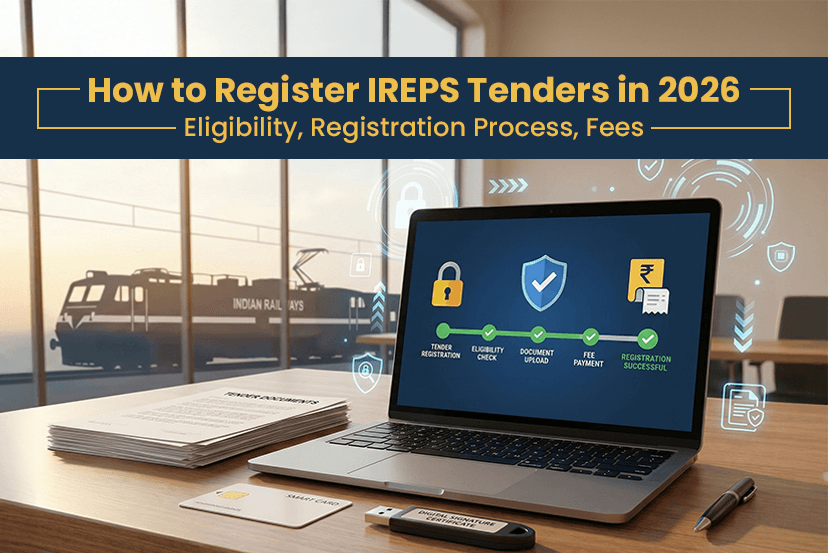
Indian Railways E-Procurement System is the government authority. If you want to do work with Indian railways, then understanding the IREPS portal is important. As every year, thousands of suppliers, contractors, and service providers participate in IREPS tenders to win the railway project. However, winning Indian railway tender is not that easy. Firstly, you must understand how the IREPS portal works.
Many people fail at the first stage when registering for the Indian Railways E-Procurement System tenders because of DSC errors, incomplete documents, wrong tender selection and many more. So if you want to register successfully but never submit a valid bid because you don’t know about how to fill e-tender in IREPS correctly.
So, in this guide, we have covered everything from registration, eligibility, and fees, to common mistakes. Make sure to read completely to understand thoroughly to bid confidently in 2026!
What is IREPS in the railway?
IREPS (Indian Railways E-Procurement system) is the official digital platform where Indian Railways publishes and manages all the tenders related to:
>> Procurement of material and equipment.
>> Works contracts like construction, maintenance, repairs, etc.
>> Services like consultancy, manpower, logistics, IT and more.
In simple words, to work with Indian Railways, you must register for the IREPS tenders.
Common Challenge Experience By Most Bidders on IREPS
Before registering, it is important to understand the real challenges that are commonly experienced by many bidders:
>> Digital Signature not detected during login
>> Registration rejection due to document mismatch.
>> Confusion between goods, works, and services tenders.
>> Missing deadlines due to technical issues.
>> Incorrect bid upload or unsigned documents.
Eligibility Criteria – Who Can Register on the IREPS Portal?
Here are the IREPS registration eligibility criteria:
- Manufacturers and OEMs
- Suppliers and traders.
- Contractors like civil, electrical, mechanical, and maintenance.
- Service providers and consultants.
- MSMEs, startups and small businesses.
- Partnership firms, LLPs, Pvt Ltd and Public Ltd companies.
Note: Individuals without a registered firm are not allowed to register.
What Are The Documents Required for IREPS Registration?
Having a clear application with complete documents helps you avoid delays. So make sure to have all the papers when registering for the IREPS tenders:
Mandatory Documents
- Firm or organisation registration certificate.
- PAN card (firm or proprietor)
- Bank details (cancelled cheque)
- Authorised signatory proof.
Digital Signature Certificate (IREPS Signer)
- Class 3 DSC is compulsory.
- Must be in the name of the firm or authorised person.
- Used for:
>> IREPS railways login.
>> Tender submission.
>> Bid signing.
Note: One of the common reasons for failure is an expired or mismatched DSC.
What is the IREPS Registration Fee?
IREPS portal registration is free! However, the bidder should pay for:
>> Digital signature certificate cost
>> Tender document fees (Based on tender)
>> EMD (Earnest Money Deposit) – If required.
How to Register in IREPS: Step By Step Guide (2026 Updated)
The following are the steps to register to Indian Railways E-Procurement system:
Step 1: System and DSC Preparation
Install required software like Java or drivers, and insert a Class 3 DSC token. IREPS is updated now, so choose browsers like Chrome or Edge.
Step 2: Open the IREPS Portal
Go to the official government site: ireps. Choose the section “New vendors or contractors (E-tender).”
Step 3: Start Registration
Now, click Initiate Registration Request, select your IREPS signer (DSC) and verify certificate details carefully.
Step 4: Enter Firm and Contact Details
Fill details exactly as per documents:
- Firm name and type
- PAN, GST, and address
- Email and mobile (used for later communication)
Step 5: Upload Documents
Upload clear PDF files, including:
- PAN
- GST
- Bank proof
- Firm registration
Step 6: Digital Sign and Submit
Now review every detail carefully, digitally sign using DSC. Submit and note the registration request number.
Step 7: Approval and Activation
For the approval and activation, Indian Railways verifies details, and approval usually takes a few working days. Your login credentials will be sent to you via email.
How to Log in to IREPS with a Digital Signature?
To access your account:
- Go to the IREPS railway login.
- Select E-Tender Login
- Enter User ID and password.
- Insert DSC token.
- Authenticate using the IREPS signer.
Once logged in, you can access all IREPS tenders across railway zones.
How to Participate in the IREPS Tender?
To participate in IREPS Tenders, these are the following steps:
Finding the Right Tender
To search tenders, use filters like:
- Railway zone
- Tender category
- Tender value
- Keywords
How to Fill E-Tender in IREPS?
- Download tender documents.
- Read eligibility and technical criteria.
- Prepare technical and financial bids.
- Upload documents.
- Digitally sign and submit before the deadline.
How to Check Tender Status in the Indian Railways E-Procurement System?
Follow these steps to check tender status:
STEP 1: Login to the IREPS Portal.
STEP 2: Go to My Tenders.
STEP 3: Track-
- Bid submission.
- Technical evaluation.
- Financial opening.
- Award status.
Final Thoughts
The IREPS railway system is the mandatory process to register to the Indian railway tenders. If you understand the process, prepare documents completely, and follow the deadline, you have a high chance to win the IREPS tender contract. Well, if you want to search government tenders like railways online, then you have a better place to visit, like TenderShark. It give you a list of options available of active tenders across the nations. So stay connected with us to search for more tenders and get more information!