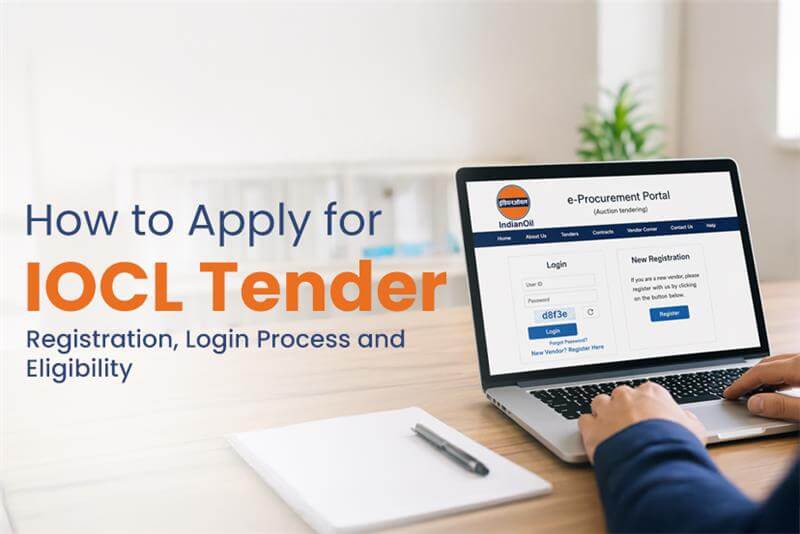
How to Apply for IOCL Tender: Registration, Login Process and Eligibility
India has many public sector companies that have now moved to digital procurement. As e-procurement platforms offer convenience and wide accessibility. If you are new to e-tendering or want to work with India’s biggest organizations, IOCL tenders, then you are at the right place. Indian Oil Corporation Limited (IOCL) actively invites bids for various projects, including supply, services, and transportation. If you are planning to work with IOCL, then understand the complete process of how to apply for the Indian Oil Corporation Limited Tender.
In this blog, we have covered everything from the IOCL portal login process, bidding method, registration and many more. So without any further delays, lets get into it!
What is an IOCL Tender?
An IOCL tender is an official invitation issued by the Indian Oil Corporation Limited for vendors, contractors and suppliers to submit bids for specific projects. These projects can include infrastructure, development and equipment supply to IOCL tenders, transportation and logistics contracts.
The entire process of the IOCL portal is managed digitally to ensure transparency, efficiency and equal opportunity for all the bidders.
What is included in the IOCL Tender Portal?
On the IOCL tender portal, there are several options, features you can explore, where all the tender related activities, registration, bidding and tracking take place. Everything is handled digitally. On this platform, you can-
- View active and upcoming IOCL tenders
- Check the detailed tender documents.
- Filter tenders based on the IOCL tender location
- Submit bids online
- Track tender results and updates.
However, before you apply, it is important to regularly monitor the portal to stay updated with the latest opportunities.
Step-by-Step Registration Process for IOCL Tender
To participate in any of the IOCL tenders, it is mandatory to be registered on the portal. So here are the following steps to register on the IOCL portal-
STEP 1: Go to the IOCL tender portal and create a vendor account.
STEP 2: Fill your complete details that are required including company name, contact information, PAN, GST details and relevant certifications.
STEP 3: After submitting the initial details, upload supporting documents for verification.
- The document may include-
- Registration certificates
- Financial Statements
- Past work experience documents.
STEP 4: After the successful verification, your account gets activated, allowing you to proceed with the IOCL tender login and access to the active tenders.
How to Login to the IOCL Tender – Stepwise Process
After completing the registration, the next step is the IOCL tender login. This is where you access your dashboard and start the application process-
STEP 1: Visit the official IOCL tender portal.
STEP 2: Go to the login section and add login credentials like Username and password.
STEP 3: In some cases, a digital signature certificate (DSC) is also required for secure login and submission of bids.
After the login, you can-
- Search for relevant IOCL tenders
- Download tender documents
- Participate in bidding
- Track your IOCL tender status.
Make sure your DSC is valid and properly configured, as it is a mandatory requirement for submitting bids in most government tenders.
How to Apply for the IOCL Tender?
If you are registered users and want to participate and apply for IOCL tenders, then here are the steps that you need to follow-
STEP 1: Start by searching for the tenders that match your business category.
STEP 2: You can filter them based on IOCL tender location, category, and type of work, like IOCL tenders, transportation or supply contracts.
STEP 3
Once you choose the tender, carefully read the detailed document. The tender document contains important information like-
>> Eligibility criteria
>> Technical requirements
>> Submission deadlines
>> Pricing format
STEP 4
Now, prepare your technical and financial bids accordingly. Upload all the necessary documents, including compliance certificates and experience proofs.
STEP 5
Before you finally submit your tender application, make sure to review it thoroughly. Because if you end up making any mistake or missing a document, it can lead to rejection. After the verification, submit your bid using your digital signature.
Eligibility Criteria for IOCL Tender
The following are the common requirements to apply for indian oil corporation limited tenders-
- A legally registered business entity
- Valid GST and PAN details
- Relevant industry experience
- Financial stability and turnover requirements
- Technical capability for the project
Note: Always read the eligibility section carefully in the tender document to make you meet all the conditions before applying.
How to Check the IOCL Tender Status?
The biggest confusion comes after submitting your bids, which is checking the tender status. It is important to stay updated on the progress.
Here is how you can check the tender status-
>> Start by logging into the IOCL tender portal and going to your dashboard.
>> Next, you will find updates including-
- Bid submission confirmation
- Technical evaluation results
- Financial bid status
- Final award notification
Remember, updating your IOCL tender status will help you stay updated with the latest information.
What is the role of Tendershark?
If you are tired of searching various sites just to find the latest IOCL tender, then Tendershark is your partner. We are an ideal option for anyone who needs active tenders related to their niche, industry and location. Here on our platform, you can explore various procurements, tenders, guides, and more. The best part of our website is that we offer free unlimited searches, so you can easily and hassle free search whenever you want.
Wrap Up
If you wish to get to work in a public sector authority like the IOCL tender (Indian Oil Corporation Limited). This guide is completely for you, as it covers everything that you should know about the IOCL login, registration, eligibility and more details. We will bring more such informative guides that help you to get the latest information about active tenders from JK tender, Bihar tenders, MP tenders, etc. Stay connected with us.